Sunday, August 11, 2019
Caching out of Summer...
As I shift focus from summer learning to the 2019-2020 school year I find myself looking back and reflecting on the summer learning opportunities and which pieces I can bring to my practice. One theme that resonates with me is the infinite possibilities with technology. Whether connecting students to the 9/11 memorial via Google Expeditions, or promoting student voice in the classroom, technology has the potential to transform the learning journey.
Approximately, five years ago I distinctly remember having a conversation with my superintendent about our iPads and how students viewed them as a gaming device. The device was new to education but not new to our young learners. Through this conversation I shared my vision that as we continue to use the ipad (or other devices) in education to enhance learning the shift from “gaming device” to “learning tool’ would naturally and gradually happen. These infinite possibilities with technology and this shift to “learning tool” were very evident at ISTE 19.
Ask yourself, “How can you create an opportunity not possible without the technology” is a common statement and something I hear regularly. During my first day at ISTE 19 I was surrounded by examples of learning opportunities not possible without technology. I spent most of that day in poster sessions that focussed on Augmented (AR) and Virtual (VR) Reality. There were so many examples of students virtually traveling to and experiencing things that many could never physically visit. There were examples of students creating things in three dimensional environments, printing and reflecting on how it could be improved, replicated and shared. Besides the opportunities to promote curiosity and wonder, AR/VR in the classroom provides opportunities that were previously impossible or inaccessible for most.
“One of the most powerful ways we can promote student voice in the classroom comes from the purposeful use of technology.” This quote from Holly Clark also represents a way to enhance learning with technology. Not only can technology allow us to hear from ALL students, it also creates a new level of transparency in the learning process. This was particularly evident in the announcements coming from FlipGrid. In addition to Flipgrid, utilizing tools like Seesaw and Adobe Spark, can also create opportunities for visible thinking and learning.
You may still debate the idea of learning tool vs gaming device. We must continue to promote curiosity, inspire students to find their passion for learning and create spaces for choice and voice. Together we can enhance learning and provide opportunities not possible without the technology. Here’s to another great year of learning, growing and collaborating.

Sunday, January 27, 2019
Connect, Expand, Share...

This experience was made possible not only by technology but by connections. The connection made at IST17. When attending conferences we all go “in” with goals to learn something about a specific topic or idea. We listen, learn, take notes and think of ways to implement these things in our own classrooms or jobs back in our buildings. But, how do you keep this learning sustainable? How do you share this with others? Whether attending ISTE, EDCamp or NETA, how do you implement what you have learned, share it and keep it going beyond the two or three days of the actual conference or event. The above example was a connection I took away from ISTE17 and was able to create a learning opportunity and connection for students in my own district.
Since this experience, I have been thinking of ways to take learning from blogs, conferences and podcasts and expand on it. I really wanted to take what I learned throughout the
Alaska Connection” and other learning experiences and create a “Nebraska” connection. With some collaboration, brainstorming, problem solving and together with Katie Pfanstiel we have created a plan. We are currently working on a virtual learning opportunity with her students called: Connecting Nebraska the Good Life.
So, as you prepare for spring learning opportunities I have a challenge for you. Whether you are attending a conference, listening to a podcast or reading a blog post, how can you expand and share your learning? What other opportunities can you create? How can you take this beyond the ten minute podcast or two day conference. Strive for something bigger, something sustainable… make the connection...
If you would like to follow our Connection Nebraska journey feel free to check it out at:
bit.ly/ConnectingNebraska
Monday, January 14, 2019
Alexa: More than a Student Flash Briefing

Here's how we got started at Northwest:
1. A Shared Google Doc: The weekly flash briefing is shared via a Google Doc. Collaboratively we share ideas, reminders and celebrations. Notes are turned into a story for a weekly audio recording.
2. Cell Phone: You have plenty of options here but our student content creators prefer phones for recording the written script. Recordings are usually done in our green screen room.
3. Alexa Audio Upload: Obviously, there are a few tech requirements and specifics to incorporate directly with an Alexa Skill. We are provided this service by STRIV.
Here is where we are going:
Knowing Alexa is not something in everyone's home, we wanted to expand our reach. We had the writing and the audio already, we just needed another way to share. Headliner was suggested as an audio tool that also had easy download and sharing options. By taking the audio file already recorded, uploading it to headliner and adding a background image we had a shareable file with news, announcements and updates. We also had options to share captions right within the recording. Our headliner creations are shared on our school's Facebook, Instagram and Twitter accounts weekly. This has expanded our reach and helped bring more content into homes of our followers.
Our Alexa Skill content creation team has been going strong for almost a year. What started as just another task for me has evolved into a weekly writing, recording and publishing project for students. We currently have a team of two students working collaboratively on each briefing. Both are able to use and explore passions for writing and recording. They are producing content that is heard well beyond the classroom. They are practicing skills that will open doors and opportunities as they move beyond high school. Each week I am in awe of the content and quality they produce. I look forward to the growth of this project, the doors it opens and the celebrations of success. We truly are creating way more than a flash briefing.
Sunday, September 30, 2018

March Madness
March 28-29
"It's not how big you are, it's how big you play." -John Wooden
I am hoping we’ve got your attention now. Have you heard the news? March Madness 2019 will take a different look this year when over 2,000 teachers, administrators and other school officials connect, collaborate and share at the annual spring NETA conference. You’ve seen it on social media, read it online and hopefully drank out of a beautiful coffee mug advertising the NEW dates of this Buzzer Beater Event!! With more than 200 breakout sessions in two days, this conference is sure to “Cut the Net”.
As your brackets are busting and your sweet 16 picks are turning into March Sadness, you have another chance to win your game. A chance to team up with more than 2,000 educators across the state to learn, grow and elevate your game. In the words of John Wooden: “It’s how big you play”. You will play big while you immerse yourself with others who are in it to win it, others who are ready to take their learning to Go BIG or go home. You will play big as you Hustle with Heart and make the learning happen.
We’ve heard your suggestions and listened to your feedback. We know The difference between ordinary and extraordinary is that little extra. We are giving a little extra and ready to make some shots. So this fall, when you are giving your all… we hope you make the call! Join us March 28-29 in Omaha!!
Let the Madness begin!!
Tech is Nice and So is Pumpkin Spice...
Tech is Nice and So is Pumpkin Spice... Yes, I know you are reading a lot about pumpkin everything these days so why not connect that seasonal sound to some of my tech favorites!
To some of us coffee is coffee and to some of us tech is tech. However, there are those of us who anxiously await the seasonal coffee favorites such as Pumpkin Spice or Peppermint Mocha. Just like these seasonal trends, there are some tech related trends as well. Some tech tools or trends may seem like the regular coffee and some are that special treat or the Pumpkin Spice. Just to stick with the seasonal trend I will share Five of my "Pumpkin Spice" tech tools.
1. Google Keep: This is Google hidden gem and continues to amaze me. Google Keep has that hidden "spice" that helps keep my desk free of sticky notes, my phone organized with important reminders, and syncs on all of my devices. Google Keep allows me to take pictures, record my voice, color-code, send reminders, share and track lists, notes, links and so much more. This tool has the "caffeine" I need both personally and professionally.
2. *NEW Gmail: The *New Gmail allows you to quickly take action on your messages. You now have options such as Snooze, Quick Reply or attachment preview. My move favorite new feature is the ability to use Calendar, Keep and Tasks right within mail. Yes, no need to open a new tab. This is like the whipped cream on my Pumpkin Spice Latte... It just hits the spot for productivity and workflow.
3. Seesaw: Nothing says top notch in everything like this student driven digital portfolio. The possibilities with this app are "steaming" and your cup never goes empty on ideas here. With the constant updates to Seesaw activities, the collaboration between teachers across the country, the various social media groups and the consistent support, the opportunities for student learning are endless. You just have to see it to believe it. Whether your students are in Kindergarten or High School, this tool will keep you craving for more. No need to watch your calories with this one... here's MORE.
4. Canva: A "must-have" creation tool. This tool allows users to easily create documents, flyers, social media posts, graphics, invitations, and so much more. Canva puts a lot of "flavor" into any shared creation. And if you want a little more check out their design tips and inspiration for everyone from beginners to professionals. If you manage any social media this tool is a must.
5. Flipgrid: This tool screams feedback and formative assessment. With Flipgrid all students have a voice. With teacher created question prompts, students have opportunities to share their opinion, their learning, ask question, provide examples and even give feedback to others. Flipgrid is spicing up the transparency and differentiation in student learning. Check out Fliphunt #fliphunt for even more “latte” learning
Just like my seasonal coffee favorites, technology tools come and go. It is always hard when a favorite retires or is replaced by a new one. Whether you are set on a few of your own favorites or looking for new ideas, I hope some of these turn out to be that "special treat" your tech tastebuds needed.

Sunday, August 5, 2018
Create
To my friends, fellow teachers, parents, students and social media followers:
It is time for yet another amazing school year. It's time for learning growing and celebrating together. With that comes reflection and goal setting. As I reflect on my summer full of fun, family and professional learning, I decided to put it all into one word. The word I chose is CREATE. Summer for me was full of creation: creating memories, creating opportunities, creating conversations, creating connections, creating challenges, and the list goes on. Creating meant embracing the opportunity to learn, play, grow and accept challenge.
Whether I tried to increase my running speed and almost flew off the back of the treadmill, watched my fearful daughter go from no desire to dive into the pool to diving off the board, watched our youngest master her bike without training wheels, celebrated ten years of marriage or connected with other educators across the country for tips and ideas; Creation was happening Creation goes beyond the idea tangible things. Creation is conversations, ideas and moments.
So as I gear up for another great year, I want to share my word of the year and challenge you all to do the same. May you all CREATE a year full of memories, opportunities, connections, challenges, ideas and moments. May those moments be full of memories, memories full of connections, connections full of opportunities and opportunities full of challenges. This my friends, will create a great year!!
Best wishes to a great 2018-2019 school year!!
-Heather

Whether I tried to increase my running speed and almost flew off the back of the treadmill, watched my fearful daughter go from no desire to dive into the pool to diving off the board, watched our youngest master her bike without training wheels, celebrated ten years of marriage or connected with other educators across the country for tips and ideas; Creation was happening Creation goes beyond the idea tangible things. Creation is conversations, ideas and moments.
So as I gear up for another great year, I want to share my word of the year and challenge you all to do the same. May you all CREATE a year full of memories, opportunities, connections, challenges, ideas and moments. May those moments be full of memories, memories full of connections, connections full of opportunities and opportunities full of challenges. This my friends, will create a great year!!
Best wishes to a great 2018-2019 school year!!
-Heather

Friday, December 15, 2017
Be Internet Awsome
Teach it: Be Internet Awesome

Recently I had the privilege of attending Google’s Be Internet Awesome training at the Google headquarters in Chicago. Not only was this an opportunity to learn, but also a check on my bucket list of AWESOME things to experience. Google tools and resources have become a huge part of many schools. They are constantly adding, updating and listening to educators as they work to improve and meet the needs of educators and students. Besides all of the tools in their Suite, they have many other awesome things to offer. Speaking of AWESOME...
Access: This is the first time in history that a generation is growing up with constant Access to the Internet. In fact, 79% of teens (and younger) have their own smartphone. Students (and adults) have access to information at their fingertips. Today technology is being used both personally and educationally. Schools across the country are purchasing and providing devices for students. With this access, many are thinking about digital citizenship and how to reach and teach the importance of being a digital leader, managing digital identity, engaging in positive, safe, legal and ethical behavior and understanding/respecting the rights and obligations of using and sharing intellectual property.
We: When it comes to Digital Citizenship and being Internet awesome, We are in this together. As educators, we need to embrace the teachable moments regarding digital leadership and building a positive digital presence. According to the Family Online Safety Institute, educators are the most trusted source to maximize benefits and minimize harms of technology for children. It is important to remember Digital Citizenship IS citizenship!! Google has done an amazing job with their NEW: Be Internet Awesome curriculum. Aligned with the ISTE standards for students, Be Internet awesome creates opportunities to learn and explore the fundamentals of digital citizenship and safety in an interactive environment. Be Internet Awesome is a FREE online resource with no login or account required. With easy access students and families can learn together. Together WE can be a team and promote, model and teach digital citizenship.
Edtech: Edtech Defined: Education technology, or “edtech,” is the study and practice of teaching and learning processes and strategies that incorporate devices, apps, programs, and media. Edtech can be used in traditional classrooms, at home, and as part of learning in almost any setting. Many schools have devices for students and many of them have a device for each student. Not only does this provide access to so many resources, but also opportunities for students to connect, collaborate, create and think critically. Edtech is creating opportunities to transform teaching and learning. Students do not need teachers to deliver all information as so much is at their fingertips.
Security: Security is not always on the top of the list with students, but as parents and adults we often think and wonder about security with accounts, devices and social media use. One thing I learned during my Be Internet Awesome day at Google was that security is priority. Whether you are using a Chrome enabled device or account, Google is on point with security features. Did you know they even offer $100,000 if you can hack a Chromebook?
Opportunities: It seems as if we always talk about all the opportunities our students have when it comes to devices, apps, tools and extensions. These opportunities are only as good as the purpose. Google has Nailed it with Be Internet Awesome. Not only do they have specific lessons focused on Being Internet Awesome, they break it down into Five key parts associated with being a responsible digital citizen. Students learn the importance of Being SMART, ALERT, STRONG, KIND and BRAVE. Included in the curriculum are lesson plans for the five topics, with activities and worksheets that were designed to complement Interland. Kids can play their way to being Internet Awesome with Interland, an online adventure that puts the key lessons of digital safety into hands-on practice with four challenging games.
Me: Being Internet Awesome is for adults too. So many times we focus on what we are telling our kids and we forget that they are watching our online actions too. It is important to reflect on these questions: Are you internet Awesome? Do you portray yourself as a digital leader? Have you Googled yourself? What does YOUR digital footprint look like? How secure is your password? These are just a few things to consider when reflecting on your digital presence and what you model for kids. After all, they learn from both our successes and failures.
Education: Education is key! There is no other way to put it. Assuming because students are “digital natives” that they can appropriately operate and navigate a device is a false assumption. The access and possibilities related to technology cannot be underestimated. IF we can get teachers and students excited about what access to technology can do for learning, the safety and digital citizenship will come along with it. In education when our kids do not know how to read, we teach them, when they do not know how to write, we teach them, when they do not know how to practice online safely….. We NEED to teach them. We need to partner with families, be a model, and together teach and promote digital leadership and online responsibility.
So many great things were shared and discussed at Chicago’s Be Internet Awesome event. Of all those things, a stand out to me is partnering with parents. Whether we bring them in, share resources, or have conversations to learn together, we need to be a team. Below are some of the amazing resources shared by some of the presenters. I would love to chat more and work with others who are on a similar mission to collaborate, educate and create digital leaders in their communities. Together we are better!!
Connect Safely Guides- Collection of short guidebooks for parents about popular apps, services, and platforms popular with kids from Connect Safely who host Safer Internet Day.
How Secure Is My Password- Check your password strength and how long it will take for your password to be hacked.
Family Online Safety Institute- Resources and toolkits for talking to parents and students about digital safety. Schools may request a free presentation to share to help you have positive digital parents.
LEAP Innovations- Within the LEAP personalized learning framework there are samples of contracts to have with students about good digital citizenship and rules to keep them safe online. There are also strategies for being a learner connected.
Be Internet Awesome - Games and curriculum to help teach students to be internet smart, alert, strong, kind and brave! Kids can play their way to being Internet Awesome with Interland, an online adventure that puts the key lessons of digital safety into hands-on practice with four challenging games. Teachers can download the curriculum to use with students.
Digital Citizenship & Safety Course for Educators- Learn why we teach digital citizenship and safety, online safety on the go, savvy searching, how to stay safe from phishing and more in this short certification course.
NEW: Family Link (for Android devices)- Create a Google Account for your child that's like your own and lets parents manage apps, keep an eye on screen time and set timers on the device.
How Secure Is My Password- Check your password strength and how long it will take for your password to be hacked.
Family Online Safety Institute- Resources and toolkits for talking to parents and students about digital safety. Schools may request a free presentation to share to help you have positive digital parents.
LEAP Innovations- Within the LEAP personalized learning framework there are samples of contracts to have with students about good digital citizenship and rules to keep them safe online. There are also strategies for being a learner connected.
Be Internet Awesome - Games and curriculum to help teach students to be internet smart, alert, strong, kind and brave! Kids can play their way to being Internet Awesome with Interland, an online adventure that puts the key lessons of digital safety into hands-on practice with four challenging games. Teachers can download the curriculum to use with students.
Digital Citizenship & Safety Course for Educators- Learn why we teach digital citizenship and safety, online safety on the go, savvy searching, how to stay safe from phishing and more in this short certification course.
NEW: Family Link (for Android devices)- Create a Google Account for your child that's like your own and lets parents manage apps, keep an eye on screen time and set timers on the device.
Tuesday, September 26, 2017
A Day in My Life with Google Keep…
A Day in My Life with Google Keep… 
It’s Fall in Education.... How’s is your productivity and organization? Are you feeling like a leaf in fall and blowing from one thing to the next? Are you sharing multiple docs with various “To Do” lists and can’t keep track of which is which? Do you feel like you are spinning and just need a kickstand to ground you to catch up? Well, do I have a deal for you…
Let’s pop out that kickstand and take a look at Google Keep. Google Keep has become my Go to when it comes to notes, lists, audio recordings, and so much more. Let me take you in on Day in My Life with Google Keep.
5:00: Alarm goes off…I push snooze but cannot stop thinking of today’s task list. I grab my phone and open Google Keep. I create a simple checkbox list of things I need to remember today. Now I can rest a bit more. Keep to the rescue!
6:00: Coffee time and I am out of creamer… lucky for me I have a Google Keep list going for groceries. Keep to the rescue!
6:30: Kids up and dressed and one mentions she wants me to remember her math website Zearn. I will never remember it, so I save a link to Google Keep for later reference. Keep to the rescue!
7:00: Text comes in from teacher. Question: Do you remember the random name picker mentioned by @John Unruh-Friessen at Google Summit in July? Noting this was a while ago, I know I took notes in Google Keep during the Summit. I simply search the labels I have in Keep for Google Summit17 and find it instantly. Even better I can simply share that Google Keep note to her via text!! Keep to the rescue!
7:30: Preschool drop off. Reminder appears saying I need to sign permission form. A simple location based reminder kept me on track even when dropping off at preschool. Keep to the rescue!
8:00: School... More Reminders popping up: An important task list reminder is set to notify me at 8:00 daily. Again, a nice feature of Google Keep to Keep me keeping on. Keep to the rescue!
9:00: Photos for Science Lab: Open Google Keep on my iPad, select the camera icon and take photos of Science lab in action. Photos populate in a Keep note that you can edit and add text to as you wish! Keep to the rescue!
10:00: Collaborative NETA Meeting. Open meeting agenda Google Doc and View/Pull Keep notes into the Doc using Tools menu and Keep Notepad. This is handy because all the notes I’ve been taking on the go related to NETA can be accessed or reference or even added to the collaborative document. This is my FAVORITE feature. Keep to the rescue!
Bonus: Have a photo in Keep that you want added to a document… simply drag it over from the Keep Notepad and you are set!! Keep to the rescue!
11:00: Image Text: Have you ever taken a photo of a poster, sign or something similar because you love the quote or saying and want to have it for future reference? Maybe you just want the text from the image… Well, check out ‘grab image text’ from the image menu in Keep. Simply select your photo in Keep, choose the three dots in upper right and choose grab image text.... Prepare to be AmAzEd! Keep to the rescue!
12:00: Doc Stickers: Decided to spend some time over lunch providing feedback to student assignments. As I open student assignment documents I again select tools, and keep notepad. Using my label titled “stickers” I can easily add feedback via stickers (my favorite is bitmojis.) This is a super fun and easy way to provide quick feedback and students love it! Keep to the rescue!
2:00: Google Keep Chrome Extension: Have you ever received an email with an awesome resource link that you do not want to lose so you just kept the email? With the Google Keep Chrome Extension, you can save that website link as a note, tag it, and easily find it later. Keep to the rescue!
3:00: Category Tabs Chrome Extension: No time to research Google Keep notes… with Category Tabs for Google Keep, I can sort your new and existing notes by category. Each category represents one color. Adding a note to a category is very easy, just change the color of the note. When you want to view the notes you have sorted by color, simply click on the note color you wish to view. Keep to the rescue!
4:00: Pin note: Ready to call it a day but want my “to do” list at the top of my notes… by simply “pinning” the list it will show up at the top of my Keep notes and greet me first thing when I open Keep the next time. Keep to the rescue!
5:00: Voice note: Random thoughts sometimes require a note…. How about a voice note. With the Google Keep app I can voice record a reminder or note for playback later. Sometimes the voice recording is easier and a better resource than a typed note! Keep to the rescue!
6:30: Location Reminder: Stopped at Hy-Vee for some groceries and before I could even open my Google Keep shopping list I received the list via location based reminder… Keep to the rescue!
As you can see Google Keep has become my favorite Google tool both personally and professionally. Whether I am making lists, providing feedback, collaborating, or simply taking notes, Google Keep has me covered. Maybe Keep can rescue you too. Go ahead, put your kickstand back up, hit the ground running and take Google Keep along with you!
Keep to the rescue!
Monday, September 25, 2017
The Tall and Short of ISTE 2017
The Tall and Short of ISTE 2017
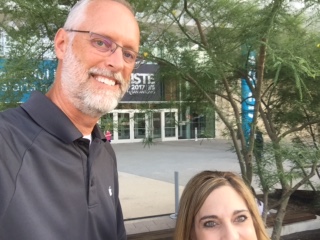
ISTE 2017 proved to be yet another amazing experience. Just as any conference there are always “Tall” things you take away and “short” things you take away. The “Tall” things are the big picture ideas that you wrap your mind around bringing back to your school and district. The “short” things are the quick takeaways you can implement right when you return. Let me share with you the “Tall and Short of ISTE 2017.”
The “Tall” things I takeaway at conferences are the overarching themes, ideas consistently mentioned throughout sessions and keynotes. This year “sharing your story” was a statement I heard several times. New ISTE CEO, Richard Culatta shared this message several times when addressing attendees. Whether you blog, tweet or use other social media, everyone has a story and it is worth sharing. This is a message we need to send to students as well. Our stories show our successes, failures and our journey to grow and improve. What is YOUR story and how are you sharing it?
Another “Tall” takeaway is the connections. Whether it’s meeting face to face with those who I know on Twitter or making new connections, ISTE is full of like-minded educators striving to connect, learn and grow. There is just something awesome about the post session conversations that continue well after the conference. For example, upon arriving at the airport for my return flight, I was greeted by the not so fun “delayed flight” notification. The disappointment was quickly erased as I made yet another connection, Andrew from Alaska!! Due to a flight delay I was lucky enough to extend my ISTE experience with conversation and reflection with Andrew. We shared ISTE takeaways, school district stories and thoughts and ideas about education in general. This is just one example of the value of connections and how learning at conferences extends beyond the specified calendar days.
The “Short” takeaways are tips, tricks and tools that I takeaway and can share and implement with ease as soon as I get home. The first short takeaway is new features in Kahoot. With the launch of a NEW app, students can now see the questions and answer options on their own device! This is huge for younger students using Kahoot. Another takeaway involves Book Creator. Book creator is now available on the WEB!! Those using Chromebooks have a reason to celebrate this recent update!! Still looking for more short takeaways…. Let’s celebrate messaging in Seesaw. Not only can you share stories and projects with parents and teachers, Seesaw now has the ability to send direct messages or reminders to those parents who are linked to your Seesaw class!
And last but not least, let me share my “Tall and Short” takeaway. You may recall last year’s release of updated ISTE student standards. This year ISTE launched the updated teacher standards. As we embrace the idea of learning to learn over learning facts, provide more voice and choice in learning and focus on pedagogy and leadership, there was a need for improved educator standards. As an empowered professional, learning catalyst, thee ISTE standards for educators are designed to inspire a vision for pedagogy-driven digital learning and teaching. You can find more information and downloads of the new educator standards as well as those for students and administrators here.
Whether you take away tall or short things from conferences, always know that we all start our learning journey at a different level. You may feel short, you may feel tall. We take away both. Take time to reflect on the short and the tall, challenge yourself to grow taller, take risks and share the story of your journey. After all, we are better together. Thank you Corey Dahl for the opportunity to take frequent “tall/short” photos and allow me to use this humor as a way to reflect on my ISTE 2017 experience.
Photo credit: Corey Dahl
Monday, August 7, 2017
Summer Sip Share And...
Well, I am not sure how many times I have said I was going to blog more consistently. I feel like I reflect on this near the end of every summer. I will not view this as a failed attempt at learning but rather a work in progress. That being said, let me share:

Summer Sip Share And...
SIP: I love opportunities to collaborate and learn from others especially over coffee. Twice this summer I had opportunities to visit local coffee shops to collaborate share and learn together. I did attend a few conferences this summer and learned a lot, but love the opportunity to reflect, share and collaborate following a conference.
Share: Sharing ideas, tips and tricks with others is a big part of my job. Much of what I share comes from others. I truly value the opportunities to learn from so many. Whether you challenge my thinking, reply to my email, ask a question or give a compliment you are helping me grow personally and professionally.
And: Here we are ready to start another year. I am starting my 20th year in education. I am still trying to blog more frequently. I am still trying to get my inbox to zero. I am still trying to choose the best tools to manage workflow. Cheers to a new year, friends. I look forward to Sipping Sharing And... smiling!! :)

Summer Sip Share And...
SIP: I love opportunities to collaborate and learn from others especially over coffee. Twice this summer I had opportunities to visit local coffee shops to collaborate share and learn together. I did attend a few conferences this summer and learned a lot, but love the opportunity to reflect, share and collaborate following a conference.
Share: Sharing ideas, tips and tricks with others is a big part of my job. Much of what I share comes from others. I truly value the opportunities to learn from so many. Whether you challenge my thinking, reply to my email, ask a question or give a compliment you are helping me grow personally and professionally.
And: Here we are ready to start another year. I am starting my 20th year in education. I am still trying to blog more frequently. I am still trying to get my inbox to zero. I am still trying to choose the best tools to manage workflow. Cheers to a new year, friends. I look forward to Sipping Sharing And... smiling!! :)
Friday, February 19, 2016
"That Lesson"
One of the best parts of my job are the opportunities to share and collaborate with teachers. Another favorite part is the opportunity to go into a classroom to work with and support a teacher as he/she teaches the lesson we collaborated on.
 |
| Photo credit: +Michael Herzberg |
It is with great excitement and pride that I write and share this post referencing +Katie Pfanstiel the 4th-grade teacher I recently worked with. Last week Katie and I were chatting about her upcoming Math lesson on money and sales tax. She wanted to change things up and find a more engaging and interactive way to teach and reinforce this skill. She brought up the idea of QR codes. I loved the idea and knew that we could come up with something. During our discussion, we decided that it would be fun to create some note cards with practice problems for her students to complete. The answers would be created using QR codes and on separate note cards for them to check after completing the problem. During the activity, students would get the problem cards from Mrs. Pfanstiel and they would solve the problem and then locate the answer card (QR code) in the room to check their answers. With a simple 1-10 numbering system, she was able to keep the cards and answers organized for easy checking and referencing.
Yesterday, I was able to be part of her class and provide support as she introduced the topic and her students worked through the engaging and interactive practice problems. After leaving her room yesterday, I was beaming with excitement. I found myself texting, emailing, and chatting with others about how awesome the entire lesson was. So... let me share some of the highlights and things that resonate with me about this amazing lesson:
1. Katie: When Katie and I collaborated on this activity, her last words to me were, "Yes, I have time during conferences to work on things to better my classroom. I will create the note cards and share them with you.” I thought, "Go, Katie, Go!" Of course, later that evening I received a text showcasing her completed project. I could not wait for the lesson.
2. Student Names: We all know that "sample" problems in the book use random names and they are generally not too exciting. Katie's practice problems consisted of some "book examples" and some of her own, BUT each practice problem used a student's name. This was a simple engaging addition to her activity that just meant the world to these kids. It was very evident because as they worked through a problem and went back for another, they were referencing the cards by student name rather than card number. #nailedit
3. Introduction: Introducing a lesson (especially in math) in a way that students can relate to is so valuable. Katie's introduction was a simple copy of two receipts she had. Each student had a copy and worked together to find subtotal, tax, and total on both. This was a great introduction into cost and sales tax and students were able to relate to her example.
4. Homework: The word homework itself is a "hot topic" in general, so I find it important to reference here. You may have picked up on the fact that these note cards were truly practice problems or "homework." However, her students did not pick up on that. After all her students finished each of the practice problems, (which we had not planned for them to finish) they asked what the their homework was. When Katie informed them that that was their homework, they replied, "Awesome, that was fun."
5. Conversations: This may have been my favorite part. I loved listening to the conversations in the room. Some conversations centered around comparing names on the practice problems, others were collaborating to find the QR code answer, and all of them helped each other work through errors or simple calculation mistakes. The classroom environment was full of excitement, engagement and learning.
In closing, I would just like to note that none of the five highlights from this lesson actually mention the technology used. The technology was engaging and effective, but just a part of what the purpose was. I love that this lesson was planned and executed around the skill and topic and that the technology was used to enhance what she was teaching and asking her students to practice.
Wednesday, January 13, 2016
Goals, Learning and Podcasts...
It's that time of year again... everyone is setting goals for the new year and brainstorming ways to reach them. Personally and professionally, setting goals and reflecting on them is important to me. Until earlier this week, I honestly hadn't thought of any particularly "new" goals for 2016, I was still reflecting on recent goals/progress. When I read +ShakeUpLearning (Kacey Bell) blog post titled "16 Things Teachers Should Try in 2016" my mind was spinning. Not only was this post a way for me to reflect, but a great way to focus on new goals. It also fits perfectly with some information I recently shared with teachers in our district regarding all the FREE professional development and learning opportunities surrounding us. I love YouTube. I use Voxer to learn daily. Twitter is my favorite PD. I learn from students all the time.
Looking at this list... as crazy as it sounds, I have not been one to dive into Podcasts. Several EDU friends +Kristina Peters +Brent Catlett +Josh Allen +Craig Badura +Devin Schoening participate, share, and discuss podcasts that they love, learn from and recommend. So.... I have decided that I am going to take the plunge into Podcasts as another way to learn and reflect.
So.... Bring it on, friends! I am excited to hear recommendations from all of you. What are your favorite educational and/or edtech podcasts? Maybe we can start a Voxer Group for sharing and reflecting!! Here's to more learning!!

Looking at this list... as crazy as it sounds, I have not been one to dive into Podcasts. Several EDU friends +Kristina Peters +Brent Catlett +Josh Allen +Craig Badura +Devin Schoening participate, share, and discuss podcasts that they love, learn from and recommend. So.... I have decided that I am going to take the plunge into Podcasts as another way to learn and reflect.
So.... Bring it on, friends! I am excited to hear recommendations from all of you. What are your favorite educational and/or edtech podcasts? Maybe we can start a Voxer Group for sharing and reflecting!! Here's to more learning!!

Monday, September 14, 2015
"Falling" into a routine...

Some of these routines involve making time to learn and grow myself. I am not talking about taking classes. I am talking about all the opportunities that are available day in and day out just by being connected. Whether it is Twitter, Google Plus, Blog Posts, or Voxer groups, there is always something to learn. I love that these opportunities are there for me when I need it. If I have a question, I simply post, tweet, Vox or text and BAM, I have suggestion in minutes. Many times I don't have a question, but by following so many awesome people and hashtags on Twitter, lurking allows me to learn more than I could imagine. The opportunities to connect, collaborate and learn from so many awesome educators around the world is amazing. And just think, with technology our students have these same opportunities to connect, collaborate and learn!!
Obviously, "Falling" into a routine means making the time to learn and sharing what I learn with others. So as I work to balance and expand my own learning, I also want to focus on the endless possibilities for students. Personally and professionally these routines will allow me to become a better teacher parent, friend, and life-long learner.
Tuesday, March 3, 2015
The Power of Choice
Following any training, staff development, or conference I attend, I always take time to reflect on the new things I learned, things I want to change, and things that can help me do my job better. Reflections truly allows me to sort out the awesome content and brainstorm ways to use the new things I gained.
A recent in-service on February 27th was no different. This in-service day had a variety of sessions for everyone. From Marzano learning targets to ALP strategies to awesome tech integration ideas, there was something new for everyone. This very "modified" Edcamp style day focused on choice. Teachers had several choices and were able to take control of their learning. I think they key word here is "CHOICE". I focus on this word because much of the feedback I received that day involved that simple word. Several teachers mentioned how much they liked having these choices.
So as I reflect on the day and the feedback I received, I continue to reflect on this power of choice. If the power of choice means so much to teachers when they are learning, what does that mean to our students? What choices do students have for their learning? How often do they have choices? What happens when they have opportunities to make choices?
I think there is a lot of power in choice. We all like opportunities to choose. So as I continue my goal to make learning visible and to blog about learning, I challenge you to think about the choices and how they can empower learners.
A recent in-service on February 27th was no different. This in-service day had a variety of sessions for everyone. From Marzano learning targets to ALP strategies to awesome tech integration ideas, there was something new for everyone. This very "modified" Edcamp style day focused on choice. Teachers had several choices and were able to take control of their learning. I think they key word here is "CHOICE". I focus on this word because much of the feedback I received that day involved that simple word. Several teachers mentioned how much they liked having these choices.
So as I reflect on the day and the feedback I received, I continue to reflect on this power of choice. If the power of choice means so much to teachers when they are learning, what does that mean to our students? What choices do students have for their learning? How often do they have choices? What happens when they have opportunities to make choices?
I think there is a lot of power in choice. We all like opportunities to choose. So as I continue my goal to make learning visible and to blog about learning, I challenge you to think about the choices and how they can empower learners.
Monday, February 9, 2015
Summer Bucket List: PD to fill your Bucket
Does this beautiful weather have you thinking about Spring or even summer? Have you started planning your summer fun? Well, do I have a deal for you....
Be sure to mark your June calendars for some Bucket Filling PD: This summer I will be conducting technology PD with a different twist. The theme will be filling your bucket with tech tools and ideas. There will be six 90 min PD sessions full of tools and ideas that will have your bucket overflowing.
Theme: Summer Bucket list
Bucket #1: Flip Floppin’ photo apps
Bucket #2: Getting Wet with Weebly
Bucket #3: Sunglasses, Sand and SAMR
Bucket #4: Visors, Vacation and Visible thinking tools
Bucket #5: Campfires, and chrome apps
Bucket #6: Cooling down with creation and collaboration tools
Bucket #7: Beach Balls and blogging
Bucket #8: Diving into Digital Citizenshi p
*** Stay tuned for more details and specific dates for this bucket filling good time!

Subscribe to:
Posts (Atom)